
Watch the step-by-step video below to learn how to bind a policy on the DUAL WebRater.

Follow the steps below to bind your quote on the DUAL WebRater:
- Search the 'Insured Name' and click the Insured Name to enter the quote

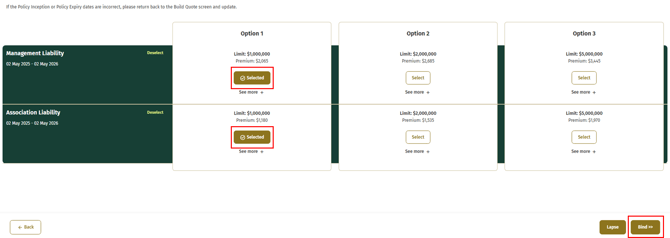
- Select the desired coverage option(s), then click Bind.
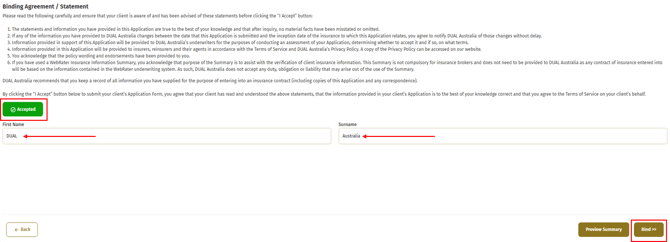
- Review and confirm the Binding Agreement by clicking Accept, then sign it by entering your first and last name.
- Once bound, you will receive your policy documents via email. If you do not receive them within a few minutes, please check your spam folder or contact your DUAL representative.