
Checking available products by occupation in WebRater
To check which products are available for your client, follow these steps:
- Log in to WebRater.
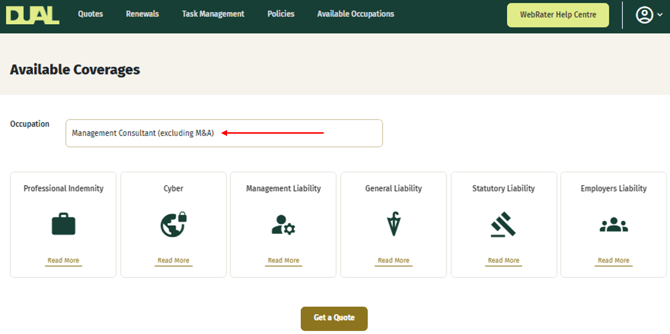
- Click the Available Occupations tab.
- Search for your client's occupation using the Occupation dropdown menu.
A list of products available for quoting based on your client's occupation will be displayed.
If you cannot find your client's occupation in the dropdown, or are unsure which Occupation or Industry to select, please contact your local DUAL underwriter who will be able to assist.
You can also reach us directly:
- Email: [email protected]
- Phone: 09 973 0190